

Owning a Steam Deck is a constant battle between marveling at portable Elden Ring and screaming because your battery just hit 4% in the middle of a boss fight. That is why grabbing a few essential steam deck accessories isn’t just a nice upgrade. It is a survival requirement if you actually plan on leaving your house. The hardware is brilliant, but Valve shipped a Ferrari with a gas tank the size of a thimble.
You need a power bank that actually delivers 45W instead of just warming your hands, and enough fast storage to hold more than two modern games without choking. We are skipping the cheap plastic garbage to focus on the docks, cases, and upgrades that actually solve the system’s glaring stamina and connectivity issues. If you want to turn this chunky handheld into a proper desktop replacement without losing your mind, this is the gear that matters.
Frequently Asked Questions
1. Will a dock make Steam Deck games run faster?
A dock does not increase the Steam Deck’s processing power or improve game performance. An external display can make demanding games work harder if you raise the resolution, so 4K output does not mean 4K gaming at smooth frame rates.
2. Do Steam Deck OLED and LCD models use the same accessories?
Most USB-C docks, power banks, and Bluetooth peripherals work with both Steam Deck models. Check that fitted accessories such as screen protectors and shells specifically list your model, since a near-fit is still a fit for nobody.
3. Can I bring a 20,000mAh power bank on a plane?
A typical 20,000mAh power bank is around 74Wh, below the common 100Wh limit for spare batteries on flights. Power banks generally belong in carry-on baggage, not checked luggage, and airline rules can vary, so check your carrier’s requirements before packing.
4. Does a new MicroSD card need to be formatted for the Steam Deck?
Yes, format a new MicroSD card through the Steam Deck’s Settings under System and then Format SD Card. Formatting erases the card, so back up anything on it first; the Deck will prepare it for game storage.
Key Takeaways
- To prevent rapid battery drain during high-end gaming, utilize a power bank with at least 45W Power Delivery and 20,000mAh capacity.
- Eliminate slow load times and storage bottlenecks by upgrading to A2-rated MicroSD cards or swapping the internal drive for a high-capacity NVMe SSD.
- Transform the handheld into a functional desktop replacement by adding a USB-C dock for stable Gigabit Ethernet downloads and HDMI output.
- Safeguard the hardware against inevitable damage by applying a tempered glass screen protector and using a rugged grip case for better ergonomics.
High-Wattage Power Banks That Actually Deliver 45W
If you think your dinky little phone charger is going to keep the Steam Deck alive while running high-end games, you are absolutely delusional. The Deck is a hungry beast that laughs at anything delivering less than 45 watts of power. Your standard wall wart might trickle charge it while it sleeps, but during gameplay, the battery will drain faster than your patience in a stealth mission. You need a battery pack that supports Power Delivery (PD) at 45W or higher to actually gain percentage points while playing. Without that specific wattage, you are just delaying the inevitable shutdown screen by about six minutes.
Don’t waste your money on those slim, pocket-sized batteries that promise the world but deliver absolutely nothing. You want a substantial brick with at least 20,000mAh capacity, which is usually enough to fully recharge the console about one and a half times. Anything smaller is a total waste of backpack space, and anything larger usually feels like carrying a literal cinder block. Look for reputable units that clearly list 45W or even 65W output on the USB-C port you actually intend to use. This gear is the only difference between playing your backlog on a long flight and staring at your own reflection for three hours.
USB-C Docks With Ethernet And HDMI Output
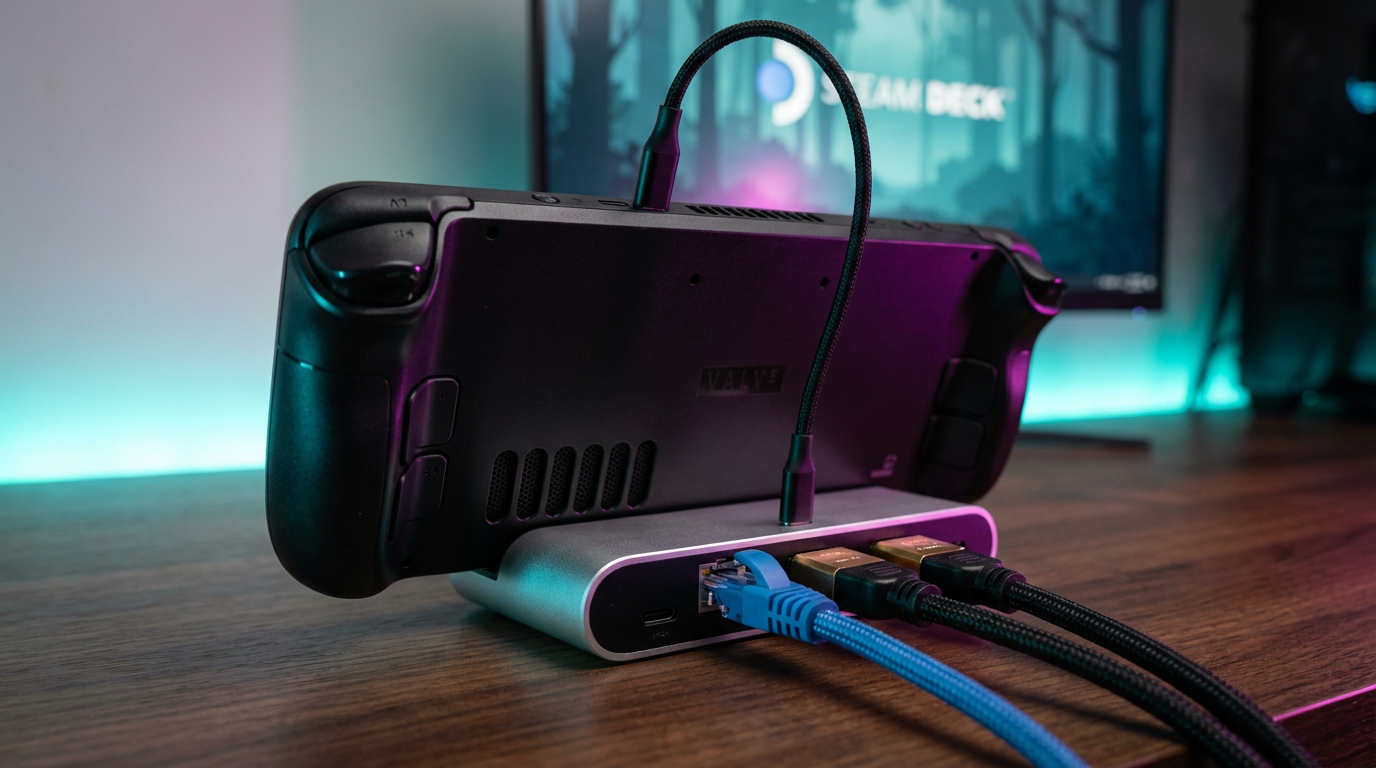
Valve gave us a marvel of handheld engineering but decided one solitary USB-C port was enough for civilized society. Unless you enjoy juggling dongles like a sad circus clown, you strictly need a proper dock to regain some dignity. This isn’t just about propping the device up. It is about expanding that lonely slot into a functional command center. A good dock turns your portable unit into a desktop replacement without breaking a sweat or your bank account. Don’t buy the official one unless you hate money because third-party options do the exact same job for half the price.
Downloading a hundred-gigabyte game over spotty Wi-Fi is an absolute nightmare. Plugging directly into Gigabit Ethernet changes your life from a buffering tragedy to a high-speed triumph. You can actually install Red Dead Redemption 2 before you die of old age, which is a feature I highly recommend. Wireless connections are fine for browsing, but hard lines are mandatory when you need stability and raw speed. Stop torturing yourself with lag spikes and get a hub that respects your precious free time.
Sometimes you want to play games on a display larger than a drink coaster, which is where the HDMI output becomes essential. Hooking this thing up to a television reveals that the Deck is surprisingly capable of pushing pixels to a big screen. It feels like magic to switch from handheld mode to a couch session without closing your game or losing progress. Just make sure your chosen slab of plastic supports 4K at 60Hz so your eyes don’t bleed from low refresh rates. There is no excuse for playing Elden Ring on a seven-inch screen when you have a perfectly good TV sitting right there.
High-Speed MicroSD Cards And NVMe SSD Upgrades
Don’t even think about buying that bargain-bin SD card unless you enjoy watching loading screens until the heat death of the universe. The Steam Deck devours storage like a starving animal, and those pre-cached shaders often take up more space than the actual games themselves. You absolutely need an A2-rated card because anything slower will make the OS stutter while it tries to frantically write data in the background. If you cheap out here, don’t come crying to me when your triple-A titles run like a slideshow because your card cannot keep up with the read speeds. Spend the extra cash now or pay for it later with your sanity.
If you are tired of playing inventory management puzzles with your game library every time a massive update drops, it is time to crack this bad boy open. Swapping the internal NVMe drive sounds terrifying to people who have never held a screwdriver, but it is actually easier than assembling IKEA furniture. You can grab a 1TB or 2TB 2230 SSD for the price of a couple of new releases and never worry about storage anxiety again. Stop uninstalling games you swear you are going to play “someday” just to make room for another bloated patch. Trust me. Having terabytes of space means you can finally hoard games like the digital goblin you truly are.
Screen Protectors And Protective Shell Cases
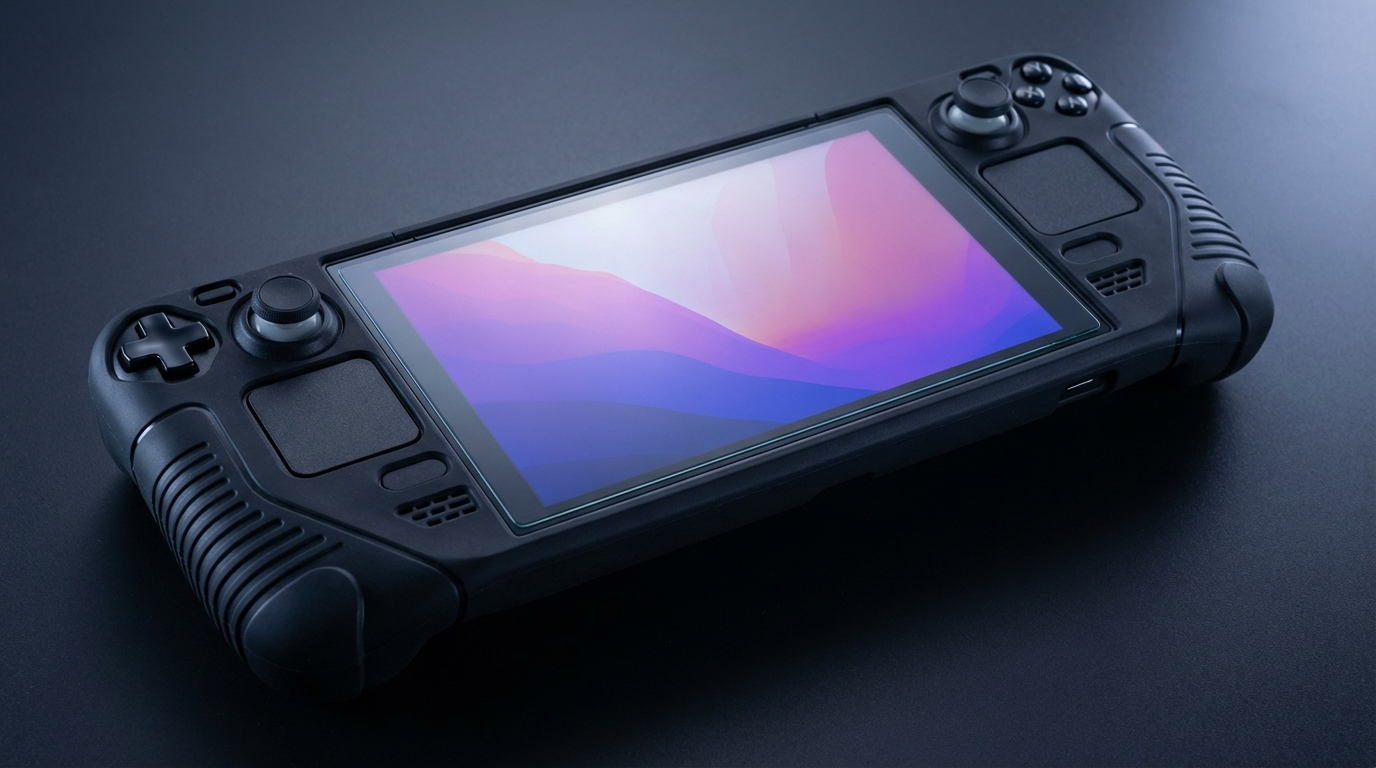
You are eventually going to drop this expensive slab of technology because gravity remains undefeated. Even if you think you have the grace of a ballerina, the Steam Deck is practically begging to kiss the pavement with its awkward width. Do yourself a favor and slap a tempered glass screen protector on the display the second you take it out of the box. I personally prefer the matte anti-glare versions because they cut down on reflections and make the cheaper models feel like the top-tier etched glass version. It is much better to crack a cheap piece of sticky plastic than to stare at a spiderweb on your screen for the next three years.
While the bulky zipper case Valve provides is decent for storage, it is totally useless when you are actually using the device. You need a grip case or a rugged shell that stays on the unit while you play so your heart doesn’t stop every time it bumps into a table edge. Look for a modular case like the ones from JSAUX or Dbrand that add texture to the slippery handles and offer a built-in kickstand. These shells often let you strap a battery bank to the back, which turns the Deck into a heavy monstrosity that actually lasts longer than an hour. If you refuse to wrap your Deck in rubber, do not come crying to me when the plastic housing cracks after a three-foot fall.
Keyboards And Mice For Desktop Play
A dock makes the Deck a capable desktop, but a touchscreen is a miserable way to type a long password or manage a strategy game. Pair it with a compact Bluetooth keyboard and mouse, or plug in wired peripherals through the dock’s USB ports. A small wireless set is easier to pack, while a full-size keyboard is more comfortable for long sessions at a desk. Just remember that a mouse-heavy game may need control settings adjusted, and not every title is designed for keyboard input. The Deck can do a lot, but it cannot convince every game that a controller is a mouse.
These accessories also make desktop mode less of a chore. Browsing files, entering login details, and navigating apps is much quicker with proper controls than poking at icons with a thumb. We would prioritize a reliable connection and a keyboard that does not eat half your travel bag. Mechanical keyboards are satisfying, but hauling a loud slab of clacking keys to a hotel is a bold way to announce that you have arrived.
Earbuds And Portable Display Options
Bluetooth earbuds are an easy travel upgrade when the Deck’s speakers would otherwise broadcast every boss fight to the entire train carriage. Look for earbuds with a low-latency gaming mode if timing matters, since ordinary Bluetooth audio can lag behind the action. Wired earbuds are still a simple option, too: they need no pairing and do not introduce another battery to babysit. Either way, keep the volume sensible. The point is to hear the game, not to turn a commute into a hearing test.
For a more personal big-screen setup, Nreal Air glasses, now sold under the Xreal name, can act as a wearable display when connected over USB-C video output. They can make a cramped seat feel less cramped by putting the picture in front of you without requiring a television. Check the specific glasses and adapter requirements before buying, and consider how you will keep the Deck charged during longer sessions. It is a clever option, not a magical battery loophole. Our accessory advice is simple: choose the things that solve a real problem in your setup, not another gadget that becomes drawer decor.
Finishing The Engineering Job Valve Left Undone
Out of the box, the Steam Deck is a glorious beta test that Valve tricked us all into paying to troubleshoot. It is a brilliant piece of tech, sure, but it has the battery life of a disposable vape and the storage capacity of a floppy disk from the nineties. By slapping on a high-wattage power bank and a decent dock, you are effectively finishing the engineering job that Gabe Newell left halfway done. These accessories stop being “optional extras” the second you try to play anything more demanding than a pixel art indie game for more than forty minutes. You are not just buying gadgets here. You are buying the functionality that should have been in the box on day one.
There is nothing quite as humbling as staring at a blank screen three hours into a cross-country flight because you were too cheap to buy a portable charger. Unless you enjoy sitting in silence with your own thoughts at thirty thousand feet, you need to secure that extra juice and storage space right now. A tempered glass screen protector is also non-negotiable unless you trust yourself to never drop a heavy handheld device. That is a lie we all tell ourselves until it shatters. Treat your hardware with a little respect and give it the support gear it actually needs to survive the real world. Stop pretending the base model is good enough and turn that chunky plastic slab into the portable god-killer it was meant to be.