
I finally tossed my mushy membrane keyboard into the trash where it belonged, tired of keys that felt like typing on a soggy sponge. Budget mechanicals under $100 deliver crisp clicky satisfaction without draining my wallet. Who needs overpriced premium boards when sub-$50 gems pack hot-swappable switches and gasket mounts that rival the big boys? Upgrading from economy to first class without baggage fees. Typing feels like pure bliss. No more finger fatigue after marathon sessions.
Here’s the part the big-box retailers hope you skip. A rubber dome board is a sheet of cheap membrane, a bit of plastic, and a prayer. A mechanical switch is a tiny machine with a spring, a stem, and a housing, and for years that machine was the thing that kept cheap boards from being cheap. That changed. Factories got better at injection molding, switch makers started cranking out switches by the million, and the budget tier quietly grew up. The result is a market where a $45 board can feel better under your fingers than a keyboard that cost three times as much a few years ago. This article is about the boards that earn their spot at the bottom of the price chart, and it won’t pretend every cheap board is a hidden gem. Some are just cheap, and we’ll say so when it matters.
Hot-swappable switches let you change the feel whenever boredom hits, no soldering iron required. Layouts cover 60%, 65%, TKL, and full-size to fit any desk or workflow. Prices start at $30. The market evolved past cheap plastic crap into real contenders. Wireless options ditch cables like yesterday’s bad habit. Manufacturers pack premium vibes into bargain bins.
Our short list of budget boards worth your money, all of them sitting below the $100 line at the time of writing, looks like this:
- Keychron C2 Pro, under $55, hot-swappable and sturdy
- Redragon K552, around $40 to $70 depending on sales, a TKL with a metal plate
- Keychron K6, around $60, a compact 65% with no function row
- Royal Kludge RK61, under $50, a wireless 60% with tri-mode connectivity
- Ajazz AK820 Pro, under $60, double-shot PBT keycaps and gasket mounting
- Monsgeek M1, under $70, a gasket-mounted board with a knack for punching above its weight
- Redragon K683WB, under $60, a wireless TKL built for couch sessions
If you want a taste of the premium side, the NuPhy Air75 is the sort of ultra-thin, low-profile board that makes budget buyers squint at their bank statements. It lives above our price ceiling, so treat it as a reference point rather than a pick. It shows where the design trends are headed, and it gives you something to compare the cheaper boards against.
Ultra-thin designs like the Air75 come with a different set of priorities. Low-profile switches and slim cases look great on a desk, but they cost more to produce, and that cost shows up at checkout. The useful lesson for budget shoppers is that a thinner profile doesn’t automatically mean a better typing feel. Plenty of bargain boards with conventional heights feel more solid because they use heavier plates and better mounting.
Stick around. I’m naming the steals that punch above their weight. No fluff. Just keyboards that make membrane users weep. These crush compromises. Your fingers thank me after the first keystroke.
Hot-Swappable Switches on Sub-$50 Boards
Hot-swappable sockets from Kailh and Gateron let you swap switches faster than changing socks on sub-$50 keyboards. No soldering iron. No fried boards. Pop ’em out, drop in new ones like a pro modder. Budget beasts around $30 from Amazon no-names come prepped. I grabbed one last week. Smoother than my ex’s excuses.
The catch is that not every hot-swap socket is created equal. Most budget boards use either 3-pin or 5-pin sockets. Five pins give you a more secure fit and a better chance that the switch stays put when you’re yanking it out to try something new. Three pins work fine, but they’re less forgiving if you’re clumsy with the puller. Look for the pin count in the spec sheet before you buy, because a board with bent pins after one swap is a lesson you only need to learn once.
Gateron linear reds scream speed for gamers mashing WASD like therapy. Buttery smooth, zero bump. Perfect for chaining headshots in FPS without fatigue. Tactile Kailh browns add clicky feedback for typing or coding. Like the keyboard high-fives your fingertips. Reds for velocity. Browns for pro writer vibes. Swap between them mid-session on cheapos. No warranty worries.
Hot-swapping also opens the door to lubing. A few drops of switch lube on the stem and spring can turn a scratchy linear into something that glides, and a budget board is the perfect lab for learning. Do it on a $40 keyboard, not your $250 grail. Ruin one switch, buy a bag of replacements for the price of a sandwich, and carry on. That’s the real appeal of hot-swap: it turns an expensive hobby into a cheap experiment.
2025 budget boards pack 5-pin hot-swap stability that rivals $150 flagships. Tom’s Hardware clocks $40 options with gasket mounts. Plastic turns premium. I’ve modded three. They outlast membrane mush from big box stores. Skip overpriced name brands. These underdogs deliver customization without the bank heist. Your wallet and WPM thank you.
If you want max flexibility from a budget board, look for four things: hot-swap sockets, gasket or foam mounting, a metal or polycarbonate plate, and a connection type that matches how you play. A board that checks all four boxes without charging a premium is the sweet spot this article keeps circling back to. Anything missing one or two is still usable, but you should know exactly what you’re giving up before you pay.
TKL and 65% Layouts Dominating Budget Gaming
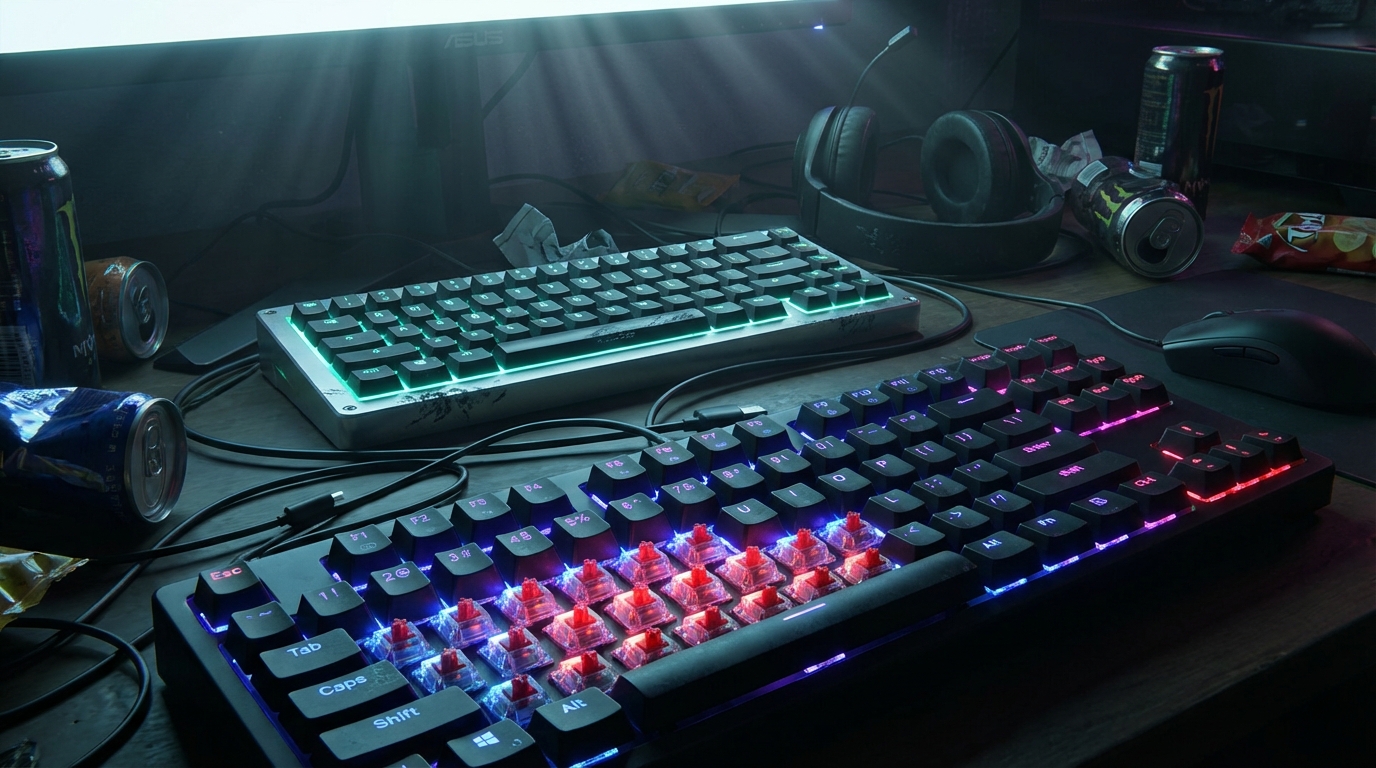
Crammed desk? TKL layouts slice off the useless numpad for under $70 boards like the Redragon K552. Arrow keys and function row stay intact. No fumbling in clutch FPS or spreadsheets. I’ve pounded a few. Space savings let my mouse roam without knocking energy drinks. Full-size fans whine about numpads. But who needs it when WASD rules? Hot-swappable switches turn cheap plastic into typing beasts.
TKL balances space and sanity. 65% cranks compact to eleven for minimalists. Keychron K6 at $60 ditches the function row for more real estate. Perfect for LAN parties in tiny apartments. Trade-off? Arrows hide in layer combos. Genius until rage-scrolling inventories mid-raid. Love the portability. Toss in a backpack without gamer tax. Pinky not a contortionist? Stick to TKL. Skip Fn key hell.
65% edges for space hogs if you master key remapping on budget hot-swaps. Tom’s Hardware names gems under $50 with solid plating and tame RGB. TKL rules for noobs hating change. Familiar feel, no learning curve. Pick based on desk chaos tolerance. Wallet stays fat. Setup sleek. Ditch full-size. It’s 2025.
Remapping is where the compact boards either earn their keep or go in the drawer. Most budget 65% boards support some form of layer programming, usually through a companion app or open firmware like VIA or QMK. Set up an arrow cluster on a comfortable layer, bind your macros, and save the profile to the keyboard itself so it works on any PC. If the software is clunky or missing, you’ll be pressing Fn plus a letter for the rest of your life. Check before you buy.
PBT Keycaps and Gasket Mounts in Bargain Builds
Budget keyboards no longer rattle like tin cans. Double-shot PBT keycaps on sub-$60 boards like Ajazz AK820 Pro deliver deep thock. No chipping or shine after a million taps. Gasket mounts squish switches into flexy foam. Rivals $200 flagships like Mode Sonnet. Dime-store wonders vibrate right. Turns frantic typing into rhythm. Swapped one last week. Mocks my old plastic abomination.
PBT grips nails like a pro climber. Gasket absorbs pings, flexes the plate for buttery travel. No hollow clacks. Bargains thump with authority. Makes Cherry MX reds alive. Tom’s Hardware finds under $50 with hot-swap. No GPU mortgage needed. Monsgeek M1 under $70 bends like high-end Zoom75. No hype tax. Brands charge triple for same foam.
Double-shot keycaps are the detail that separates a cheap board from a board that just looks cheap. The legends are molded into the keycap itself, so they won’t wear off after months of WASD and Ctrl abuse. Cheaper dye-sub legends fade on the most-used keys first, usually the ones you press the hardest. If a budget board ships with double-shot PBT, that’s a sign someone thought about the parts you touch most.
Clacking ABS? Upgrade before prices climb. Gasketed PBT beasts expose overpriced enthusiasts. Flex awaits at Accio.com prices. $40 thock slaps harder than bad boss fights. Fingers thank me daily. Yours will too.
Keychron C2 Pro and Rival Budget Champs Reviewed
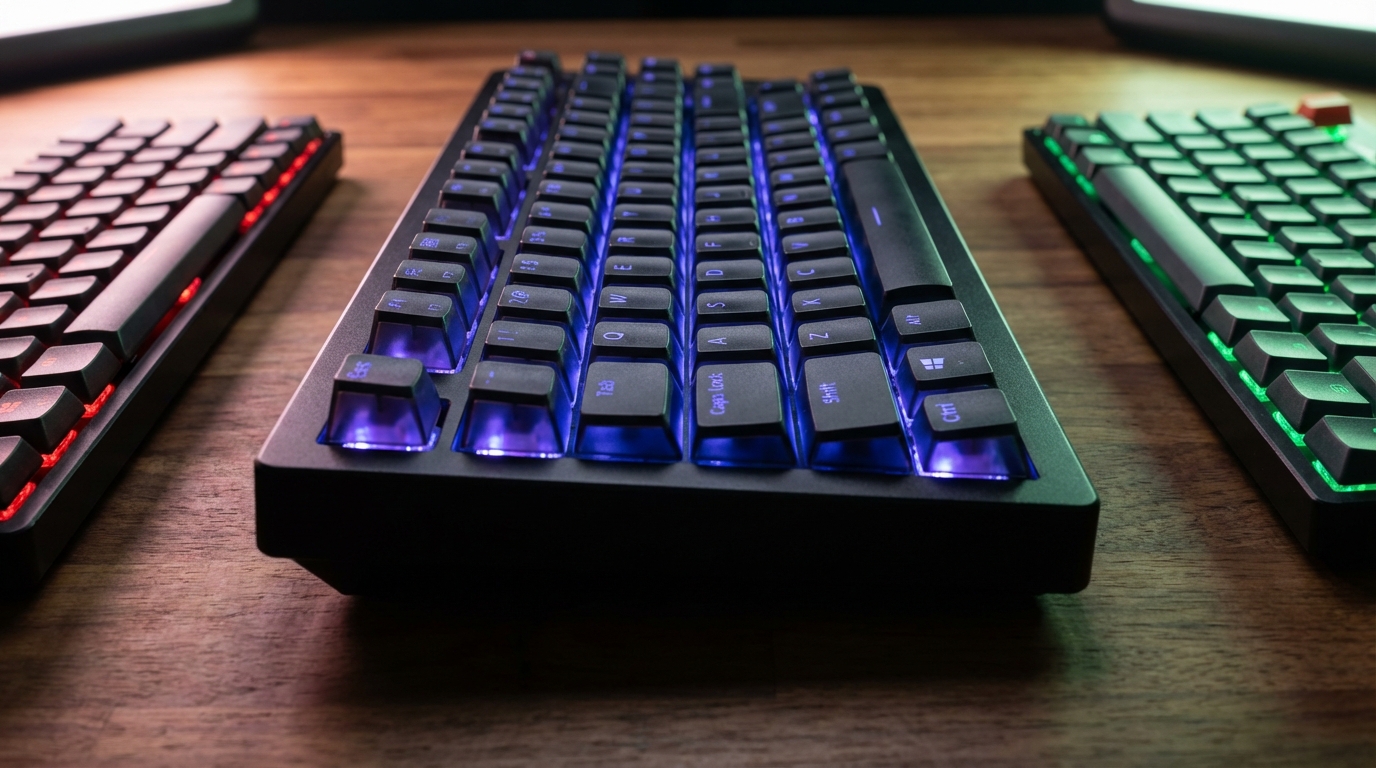
Keychron C2 Pro rules under $55. Hot-swappable switches, sturdy plastic laughs at flexy rivals. Hammered through marathons. Gateron reds snappier than twice the price. No gasket, just reliable thock rivaling premiums. No wallet pain. Tom’s Hardware agrees. Sub-$100 full-size for numpad gamers. Skip hype. Pure steal. Typing bliss.
The C2 Pro earns its place on this list because it does the boring things right. The plastic case doesn’t creak when you lean on it, the switches are consistent from key to key, and the layout is a full-size for people who still need a numpad for spreadsheets or a stat-heavy MMO. It isn’t the flashiest board here, and that’s the point. Nothing about it screams cheap, and nothing about it asks for more of your money than it should.
Royal Kludge RK61 runner-up. Wireless works, tri-mode under $50. 60% saves desk. RGB doesn’t blind. Hot-swappables for tinkerers. Battery dips in glow parties. Crushes membrane mush anyway. Accio.com spots 2025 gems. Innovation sans markup.
The RK61 is the board to point to if you want the most features per dollar. Tri-mode means Bluetooth, 2.4GHz, and wired all in one package, which is rare at this price. The 60% footprint leaves room for your mouse and your sanity. Just don’t expect the RGB to stay bright forever on battery, and don’t expect the software to be the prettiest thing you’ve ever installed. Results matter more than the splash screen.
TKL fan? Redragon K552 at $40. Outemu blues clack thunder. Wired stability beats flaky Bluetooth. RGB without bloat. Metal plate shrugs spills. Anti-hype heroes. No $200 needed for pro feel.
Outemu blues are loud, and they don’t apologize for it. They’re tactile and clicky, which makes them satisfying for typing and absolutely unsuitable for a shared apartment at 2 a.m. If you’re buying the K552 for gaming, consider swapping to a quieter linear switch once you’ve figured out what you like. Hot-swap sockets make that a five-minute job, and the metal plate keeps the board feeling solid while you do it.
Switch Types Explained for Budget Buyers
Switch talk gets nerdy fast, so here’s the short version. Linear switches travel straight down with no bump, which makes them quick and smooth for gaming. Tactile switches have a noticeable bump at the actuation point, which makes them better for typing because you feel when a key registers. Clicky switches add an audible click on top of the bump. Clicky is great for your ego and terrible for your housemates.
Gateron and Kailh dominate the budget market for a reason. Gateron reds and yellows are the go-to linears, while Kailh browns and Outemu blues cover the tactile and clicky end. Cherry MX reds remain the benchmark that everyone copies, and most budget clones land close enough that you won’t notice the difference during a match. The real differences show up in stem wobble, consistency, and how the spring weight feels after a few hundred hours.
Noise Levels: Thock, Clack, and Your Roommate’s Patience
Noise is the factor nobody mentions until the first complaint. A bare aluminum or plastic case with clicky switches on a hard desk will sound like a woodpecker with a grudge. Gasket mounts, PBT keycaps, and foam dampening change that equation. The switch stops bottoming out on hard plastic and starts sinking into foam, which softens the sound into a deeper, rounder thock.
If quiet matters, look for a few things. Start with gasket-mounted or foam-dampened boards, then prioritize linear switches, since they produce less noise than clicky designs. Add O-rings under the keycaps if you’re feeling brave, or a folded sheet of dampening foam inside the case if you’re not. Quiet is not the same as silent, and anyone promising a silent budget mech is selling you something. What you can get is a board that clacks like a polite conversation instead of a fire alarm.
Quiet also depends on the room. A linear board that’s barely audible during a late-night shooter session can still annoy someone in the next room if you’re hammering out emails at full speed on tactile switches. Match the switch to your environment as much as to your hands, and your housemates will thank you for the peace.
Wireless Budget Keyboards That Actually Connect
Wireless under $100 ditched laggy Bluetooth. 2.4GHz dongles hit sub-1ms. Perfect for couch gamers hating input delay worse than bad loot. Keychron K3 with hot-swaps, 200-hour battery at $70. Skip Bluetooth-only AliExpress ghosts. Winners use dongles faster than exes begging back.
Gaming latency is where the connection type matters most. A 2.4GHz dongle sends input through a dedicated wireless link, and in practice that feels nearly identical to a wired board for most games. Bluetooth is convenient for typing on a laptop or tablet, but it adds more delay and occasional hiccups in a fast shooter. If you only game, buy a board with a dongle. If you split time between a PC and a tablet, a tri-mode board gives you both.
Battery life is the number that marketing loves to inflate. The 200-hour figure on the K3 assumes RGB off and light use, and gaming with backlighting on will cut that down considerably. Wireless drains faster in 2.4GHz than in Bluetooth, so expect shorter sessions when you’re mashing for hours. Turn the lighting down or off, and you’ll stretch the charge a lot further. Most budget boards charge over USB-C, so you can top up during a break rather than planning around a charging schedule.
Battery hogs suck power like vampires. $40 Bluetooth promises weeks, dies in two days. RK61 chews AAA in gaming. Lazy design. MageGee TS91 lasts week with RGB. Test dongle stability. Avoid reconnect hell.
Top pick: Redragon K683WB TKL under $60. Flawless 2.4GHz and Bluetooth. Couch marathons hiccup-free. Gasket thock on budget. Forget Logitech triples. Underdogs dominate typing and frags. Grab one. Wireless winning.
Build Quality and Stabilizers: Where Budget Boards Cut Corners
Build quality is the place where budget boards either impress you or quietly annoy you for years. Look at the plate first. Aluminum and steel plates feel solid and resist flex, while polycarbonate and cheap plastic plates give a little when you press the center of the board. Neither is evil, but the flex shows up in the typing feel, especially on long sessions. A metal plate on a budget board is one of the best signs that someone didn’t cut every corner.
Stabilizers are the unsung heroes under the big keys. They keep the spacebar, Enter, and Shift from wobbling when you hit them off-center. Cheap stabilizers rattle, and a rattling spacebar is the kind of thing that ruins a perfectly good board in a week. Look for boards with clip-in or screw-in stabs and, if you can, read reviews that mention lubing them. Stabs can be tuned with a bit of dielectric grease, but that’s a project. Out of the box, many budget boards ship with decent stabs that will do the job.
The trade-off is cost and thickness. Better stabilizers take up room and add expense, so manufacturers often shave them first. That’s why you’ll see a board with great switches and a sad spacebar. Decide which part bothers you more before you buy. If you mostly play shooters, the spacebar matters less. If you type all day, the spacebar becomes the most important key on the board.
Features That Matter More Than Flashy RGB
Per-key RGB is the feature that sells boards on store pages, and it’s the one that matters least when you’re deep into a match. Lighting is handy for finding keys after dark, but a clean single-color backlight does the same job for a fraction of the battery drain. Spend your attention on the features that touch your hands every day: switch quality, keycap material, plate, stabilizers, etc. Those are the parts you’ll notice on day one and day one thousand.
Some features do deserve the hype. Hot-swap sockets extend the life of a board by letting you replace a dead switch instead of the whole keyboard. Programmable layers let you move rarely used keys out of the way. Dedicated media keys and a volume knob are small things that become indispensable within a week. When a budget board includes them, it’s a quiet signal that the designers thought about how people actually use the thing.
Matching the Board to How You Actually Play
The best budget keyboard depends on what you do with it, and a lot of people buy the wrong one because a review told them to. Start with your main activity. Competitive shooters want fast linear switches, a compact layout to keep the mouse close, and a wireless connection you trust. MMO players want a full or TKL layout with a functioning numpad or enough macro keys to handle a rotation without clawing at the desk.
Writers and coders should focus on tactile switches, comfortable keycaps, and a layout that matches their workflow. Couch players need wireless reliability and a board they can hold without wrestling a cable. Students on a tight budget should go for a wired TKL and spend the savings on a decent mouse. Match the board to the job, not to the hype.
Reviews are a useful shortcut, but only when the reviewer actually lived with the thing for a while. Read past the praise and look for specifics: how the switches feel after an hour, whether the stabilizers rattle, and whether the software does what the box promises. A good review tells you what it’s like to type on the board every day, not just how it looks on a shelf.
Software, Warranty, and Whether It Lasts
Software is the detail that decides whether a budget board is a joy or a daily irritation. Some boards support VIA or QMK, which let you remap keys and build layers without installing anything heavy. Others rely on a manufacturer app that works fine on Windows and then mysteriously doesn’t on your next machine. Before you commit, check whether the board can save its settings to the keyboard itself. If it can, you can drop it on any computer and keep your setup intact.
Warranty is the other thing budget buyers forget until something breaks. Major brands like Keychron and Redragon generally offer some form of warranty, but the length and process vary, and Amazon no-name boards can leave you with a seller who vanishes. Keep your receipts, read the return window before you open the box, and check whether the seller is the manufacturer or a reseller.
Long-term reliability comes down to the parts that take the most abuse. Many Gateron and Kailh switches are rated for tens of millions of keypresses, which is far more than a typical gamer will ever reach. The weak points tend to be stabilizers, USB ports, and cheap keycaps that polish over time. Double-shot PBT and a solid plate will age far better than thin ABS and a flexy case. Buy the board you’d still want in three years, not just the one with the prettiest RGB on day one.
Budget Mechs That Shame Premiums
Budget mechanicals in 2025 crush the good typing myth. Snag solids under $100. Gems at $30 or $50 punch above price. Hot-swappables tweak feel sans soldering. Wireless kills cable spaghetti. Swapped on $40 board. Embarrasses $200 pretenders.
Form factors from full-size for spreadsheets to 60% or TKL for gaming. No mushy membranes when 65% click-clacks for pennies. Premium plastics and aluminum in budget tiers. Manufacturers listen to peasants. High-end charges double for cheap RGB.
Budget mechs make you wonder why you tolerated rubber domes. Better than good enough for marathons or mashing. Hot-swap wireless sets you for smug years. Ditch excuses. Grab a cheap beast. Level up today.
Our verdict is simple. If you want the best value, start with the Keychron C2 Pro for a full-size, the Redragon K552 for a TKL on a budget, or the Royal Kludge RK61 for a wireless compact board with features that feel excessive at the price. Check the switch type, the plate, the stabilizers, and the software before you click buy. Then enjoy the fact that your keyboard finally feels like something you actually want to type on. Read the product page carefully, compare the specs against the list above, and let your desk, your games, and your ears make the final call. This article is a starting point, not the last word.
Frequently Asked Questions
1. What is the difference between a gasket mount and a tray mount?
A gasket-mounted board suspends the plate on rubber or silicone gaskets, which lets it flex slightly and softens the sound. A tray-mounted board screws the plate straight into a plastic tray, so it feels firmer and usually sounds sharper. Gasket mounts are the better pick if you want a quieter, more cushioned feel, but the difference is easiest to notice after a few hours of typing.
2. What lube should I use on budget switches?
Krytox 205g0 is the most common choice for lubing mechanical switch stems and springs. Apply a thin coat with a small brush, because a light layer does more than a flooded switch. Work on one switch at a time so you can test the result before doing the whole board.
3. Will a budget mechanical keyboard work with a Mac?
Yes, most budget mechanical keyboards connected by USB-C, a wired cable, or a 2.4GHz dongle work with macOS without installing drivers. The key labels will be the problem, since Windows and Alt keys don’t match Mac’s Command and Option layout. Look for a board with a Windows/Mac switch or a key combination that changes the modifier layout.
4. Can I replace the keycaps on a budget mechanical keyboard?
Most budget boards use standard MX-style switch stems, so aftermarket keycaps will fit as long as the board matches the keycap profile. Check whether the board uses OEM or Cherry profile keycaps and whether it uses an ANSI or ISO layout before you buy replacements. A keycap puller is a cheap tool that makes swapping them much less annoying.
5. Can I use a budget mechanical keyboard with a PS5 or Xbox?
Consoles treat keyboards as a limited input device, so a budget mechanical board will handle menus and text entry but won’t work in every game. Wired USB keyboards have the best chance of working on a PS5, while Xbox support depends on the specific game and the console’s accessory settings. Check the console’s compatibility list before you assume your new board will work for gaming.