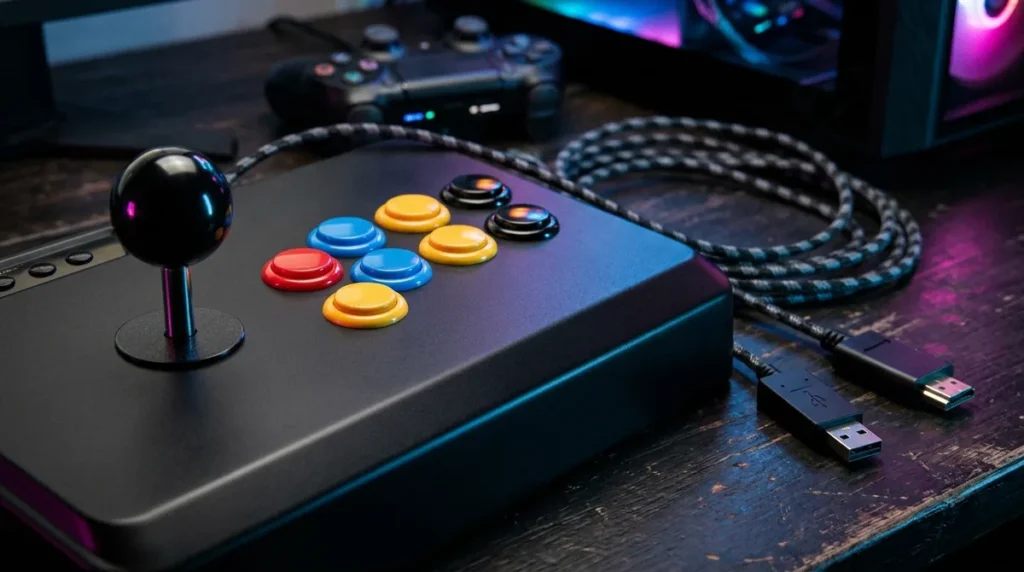
Arcade stick compatibility comes down to three things agreeing with each other: the console or PC, the stick’s input mode, and the game’s controller support. A stick that plugs in and lights up proves very little. Plenty of sticks connect just fine and then do nothing useful in the game you actually want to play, which is a special kind of insult when the box cost you $150.
Sony says officially licensed specialty peripherals, arcade sticks included, work with PS5 games and supported PS4 games on PS5. Microsoft’s rule is similar in spirit: an officially licensed Xbox One accessory should work on Xbox Series X. On PC, things get messier. Games built only around XInput expect a stick that reports its digital stick as a D-pad, and older DirectInput-only devices can get left out in the cold. Steam Input can smooth over a lot of that, since Valve says it supports more than 300 controllers in games that have it built in. Meanwhile, entry and midrange sticks generally run about $100 to $150, and Sony’s own FlexStrike carries a recommended $199.99 price, with its launch pushed to an unspecified date. So check the platform, the input mode, and the game before you buy. Your wallet will thank you.
Key Takeaways
- Before you buy an arcade stick, make sure the console or PC, the stick’s input mode, and the game’s controller support all agree, because a stick that merely lights up is a very expensive paperweight.
- Sony’s licensing rules cover officially licensed peripherals on PS5 and supported PS4 games, while Microsoft says an officially licensed Xbox One accessory should work on Xbox Series X, so a PlayStation-labeled stick is not automatically an Xbox stick.
- On PC, a game that supports only XInput expects an arcade stick to report its digital stick as a D-pad, and Microsoft warns that XInput-only games will not work with legacy DirectInput devices.
- Converter users should check the tested-device list first, because Brook only guarantees sticks on its compatibility list and Mayflash’s MagicBoots-S5 needs firmware updated before listed F300 and F500-series sticks will cooperate.
- For budget buyers on PS5 and PC, the Qanba Drone 2 at $99.99 is the cheapest sensible entry, while Sony’s FlexStrike, with its recommended $199.99 price and an unspecified launch date, is a wait-and-see purchase.
Plugging In Is the Easy Part of Arcade Stick Compatibility
A stick that lights up and types nothing is a paperweight with ambitions. Compatibility works like a three-way handshake: the console or PC, the stick’s input mode, and the game all have to agree. If one of them refuses, you own a very expensive desk ornament. Sometimes a converter sits in the middle, which adds a fourth party with its own opinions.
Console licensing is the first gate. Sony’s rules cover officially licensed peripherals on PS5 and supported PS4 games, while Microsoft says any officially licensed Xbox One accessory connected by USB should work on Xbox Series X. These are separate policies, so a PlayStation-labeled stick is not automatically an Xbox stick. The logo tells you which door the stick was built to fit through.
Then the game gets a vote. Steam’s Full Controller Support label means you can download, launch, and play with only a controller. Partial support means a keyboard or mouse may still be needed for setup or menus. A stick can be recognized perfectly and still leave you hunting for a keyboard the moment you open the options screen.
Converters add their own homework. Brook says only controllers on its compatibility list are guaranteed to work, and Mayflash’s MagicBoots-S5 supports listed F300 and F500-series sticks only after the stick’s firmware is updated. Skip the firmware page and you are gambling with your money.
Why Input Modes Decide Whether a Stick Works on PC
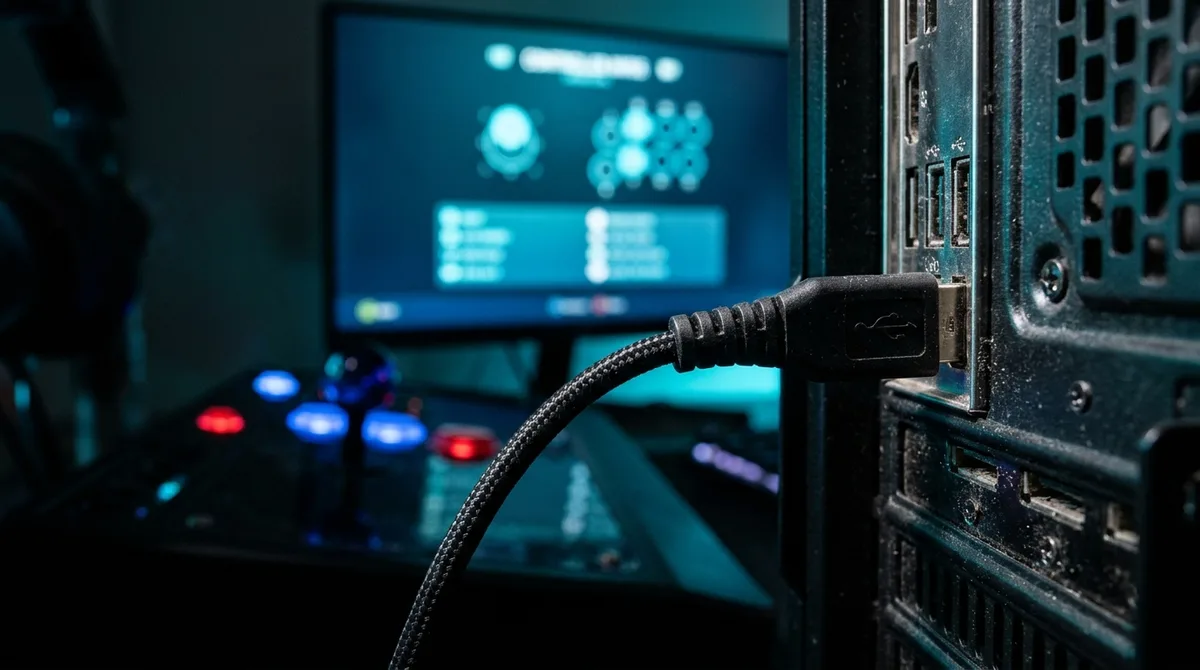
PC is where the input mode stops being a footnote. Microsoft’s XInput subtype definition describes an arcade stick as a digital stick reported as a D-pad, with digital trigger buttons and some other buttons optional. Fighting games read directions from that D-pad, so a stick that reports its movement any other way can feel broken even when Windows sees it.
Older hardware plays by different rules. Microsoft warns that a Windows game supporting only XInput will not work with legacy DirectInput devices, although developers can support both. A stick can work perfectly in one game and get ignored in the next, and the deciding factor is the developer’s choice, not the stick’s build quality.
Converters add another layer. Brook lists Wingman FGC support for PS5 fighting games only, PS4 games of all types, and PC games of all types in X-Input mode. The company also says only controllers on its compatibility list are guaranteed to work, so a stick that merely connects is not a guarantee.
Mayflash takes a broader approach. Its MagicBoots-S5 adapter covers all PS4 and PS5 games with listed F300 and F500-series sticks. That sounds generous until you remember that the list is the whole deal, and a stick outside it is not covered.
Steam is the wildcard. Valve reported in June 2024 that about 42% of controller sessions used Steam Input, which remaps buttons before the game ever sees them. When a game supports that layer, your stick can often be mapped to whatever the game expects. When it doesn’t, you’re back to hoping the developer read the spec.
Quick Platform Check for Eight Popular Fight Sticks
Here’s the quick version. Each row lists the stick type, the platforms its maker officially lists, and the price figure we found.
| Stick | Type | Officially Listed Platforms | Price Figure Found |
|---|---|---|---|
| Qanba Drone 2 | Standard wired stick | PS5, PS4, PC | $99.99 |
| Hori Fighting Stick Mini 4 | Compact stick | PS4 and PS3 officially; PC via firmware | $49.99 |
| Qanba Titan | Sony-licensed stick | PS5, PS4, PC | $149.99 |
| Hori Fighting Stick Alpha | Tournament stick | PlayStation version: PS5, PS4 | $219.99 (PlayStation model) |
| Victrix Pro FS | Premium stick | Covered in its own section below | $399.99 |
| Qanba Obsidian 2 | Top-shelf stick with swappable parts | Detailed in the Obsidian 2 section | $199.99 |
| Razer Kitsune | Leverless stick | Detailed in the Kitsune section | US$319.99 |
| Victrix Pro KO | Leverless tournament stick | Detailed in the Pro KO section | $279.99 |
Entry and midrange sticks generally sit around $100 to $150, so the Drone 2 and Titan bracket most of the budget conversation. A price tag tells you what you’re paying, not whether the stick will do what you need in your game, so the platform column matters just as much.
Footnote on Sony’s own hardware: Sony’s June 2026 update on FlexStrike set a recommended US price of $199.99, but production delays pushed the launch to a later, unspecified date. Sony has said FlexStrike will work with PS5 and PC over a wired connection, and it will use PlayStation Link for wireless play.
Qanba Drone 2: Budget PS5 Stick With Travel Smarts
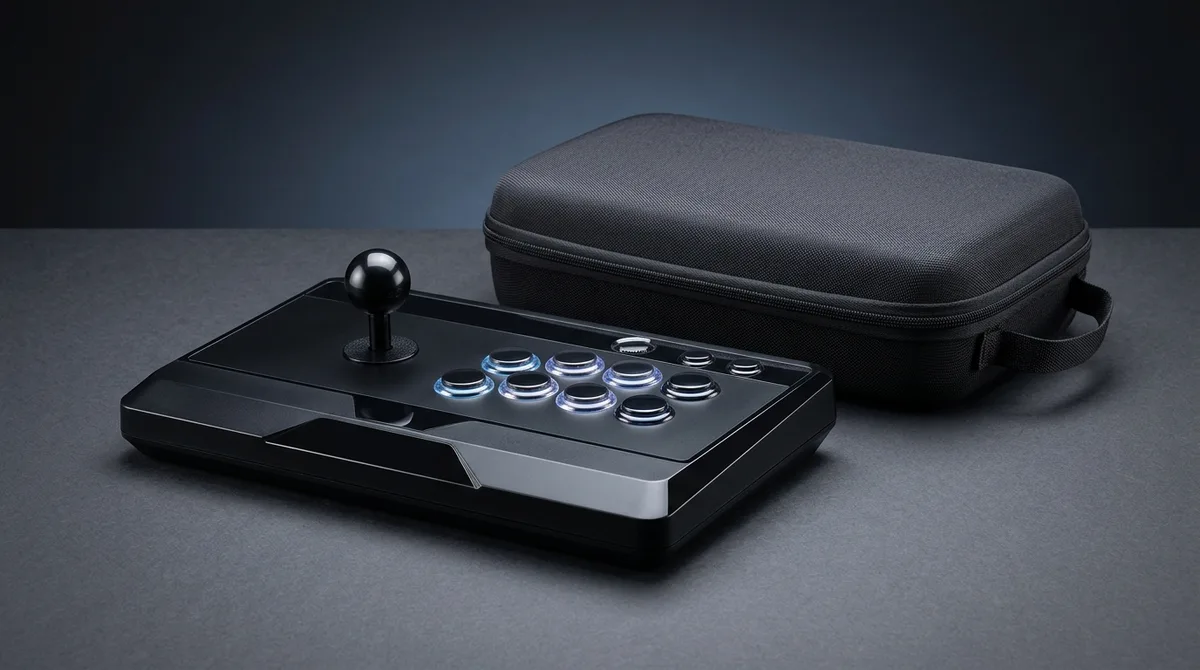
The Qanba Drone 2 is a standard wired arcade stick with a real physical lever, not a leverless controller. It uses a Qanba OV7 joystick and eight 30 mm buttons, so the layout will feel familiar to anyone who has played on a cabinet. The stick is Sony-licensed, and a platform switch lets you choose between PS5, PS4, and PC.
The body is built for portability. It has a touchpad, a 3.5 mm headset jack with microphone mute, a mode switch, and a compartment for storing its USB cable. At 14 × 8.7 × 4.57 inches and 2.6 pounds, it’s light enough to carry around, and the 7.5-foot cable gives you room to sit back from the screen.
The limits are just as clear. Xbox Series X isn’t supported out of the box, and Tom’s Guide notes that it needs a wired converter for that console. The stick also has no tournament lock switch. Qanba’s warranty comes with a catch for modders: opening the stick to swap parts voids it.
The Drone 2 suits first-time stick owners and people who travel with their gear. It’s a budget pick, not a premium tournament stick, and it’s happiest on PS5 and PC games where you don’t need a converter.
At a glance
- Best for: First-time stick owners and travelers on a budget
- Price: $99.99 in US stores
- Platform Compatibility: PS5, PS4, and PC; no Xbox or Switch support listed
- Sizes or Specs: 14 × 8.7 × 4.57 inches, 2.6 pounds, 7.5-foot wired USB cable
- Warranty: One year on Sony-licensed units bought from Qanba or an authorized retailer; modifying the stick voids it
Hori Fighting Stick Mini 4: Compact Stick With a PS4 Pedigree
The HORI Fighting Stick Mini 4 is a compact, wired arcade-style stick. It is not a premium tournament model, and it is not a leverless controller. You get eight buttons, a microswitch-activated joystick, rubberized feet, and a Share button, all on HORI’s official store page, for a stick that’s built for the living room, not the bracket.
Officially, HORI lists it for PS4 and PS3. A separate firmware update adds Windows PC support through XInput, which opens the door for PC players. If PS5 is your main machine, that’s a clear reason to stop and look again before you click buy.
The footprint is roughly 8 by 6 inches, small enough to toss in a bag. Tom’s Guide reviewed a unit with an 8-foot cable and found it has no lock switch and non-tournament-grade parts. HORI’s general U.S. warranty covers qualifying new products for one year from purchase, but it excludes modified or tampered-with units.
This stick suits travelers, players with smaller hands, and anyone who needs a cheap second stick. It’s a poor match for tournament players and anyone planning serious mods.
At a glance
- Best for: Budget buyers, travelers, smaller hands, or a secondary stick
- Price: $49.99 on HORI’s U.S. store page; see the official site for current pricing
- Platform Compatibility: PS4 and PS3 officially listed; PC via firmware update using XInput
- Sizes or Specs: Wired, eight buttons, microswitch joystick, approx. 8 by 6 inches
- Warranty: One year from purchase on qualifying new products; excludes modified units
Qanba Titan: Sony-Licensed Mid-Tier Stick for Aggressive Players
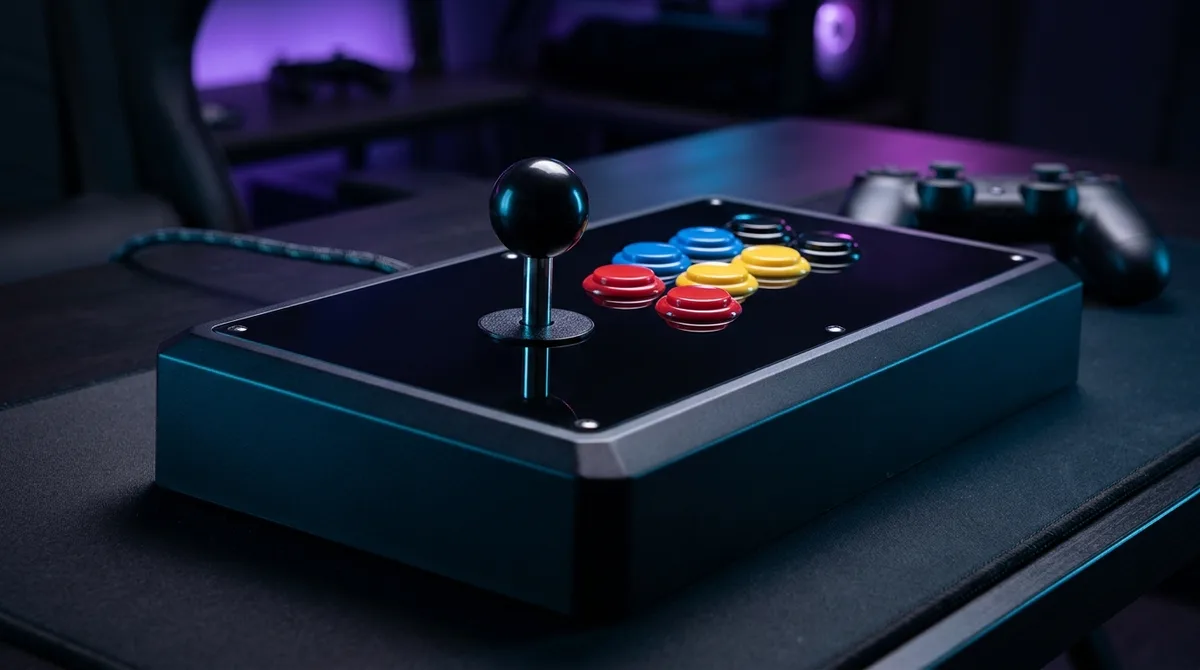
The Qanba Titan is a conventional wired stick, not a leverless controller. It has a Sanwa JLF joystick lever and Sanwa 30mm OBSF buttons, so you get the familiar stick-and-buttons layout that most fighting-game players grew up on. It is officially listed for PS5, PS4, and PC. Qanba does not list Xbox or Nintendo Switch compatibility, so those platforms are off the table unless the manufacturer says otherwise.
Qanba’s US store currently lists the Titan at $149.99 and shows it in stock on its official product page. Qanba says Sony-licensed products bought directly from Qanba or an authorized retailer carry a one-year warranty, and any modification voids that warranty.
The build is where the Titan earns its spot. The tournament lock disables the Create/Share, Turbo, PS, and Options buttons, and a mode switch selects D-pad, left-stick, or right-stick input. A touchpad, a 3.5 mm headphone jack with microphone mute, and a 2.7 m USB cable round out the package. At 384 × 242 × 115 mm and 2.25 kg, it is a solid chunk of plastic, and Dexerto’s review notes the cable is attached rather than detachable.
Reviewers describe the Titan as compact enough for locals and tournaments, and home players who want something ready to play out of the box get exactly that. Modders get a hole for the lever screw and Sanwa parts worth keeping, but reviewers point out that the case limits button and larger-lever customization. Open it up at your own risk, because the warranty goes out the window the moment you do.
At a glance
- Best for: Home players and tournament entrants who want Sanwa parts and a ready-to-play stick
- Price: $149.99 currently listed by Qanba USA, in stock on its product page
- Platform Compatibility: PS5, PS4, and PC; Xbox and Nintendo Switch not listed by Qanba
- Sizes or Specs: 384 × 242 × 115 mm, 2.25 kg, 2.7 m USB cable
- Warranty: One year on Sony-licensed products bought directly from Qanba or an authorized retailer; modifications void it
Hori Fighting Stick Alpha: Tournament Stick, Pick the Right Version
The Hori Fighting Stick Alpha is a traditional arcade stick. It uses a HAYABUSA joystick and real buttons, not an all-button leverless layout, so if you learned on a stick, this is the shape your hands already know. The Xbox version measures about 410 × 300 × 120 mm, weighs roughly 2.7 kg, and has a 3.0 m cable. That’s a lot of desk for a controller.
The PlayStation model supports PS5, PS4, and Windows 11 and 10 PCs. The Xbox model supports Xbox Series X|S, Xbox One, and Windows PCs. Neither listing mentions Nintendo Switch, so Switch owners should look elsewhere. Buying the wrong version is the most expensive mistake you can make with this stick, because a PlayStation model will not become an Xbox model after you’ve paid for it.
The PlayStation version has a tournament lock, a 10-foot cable, and a 3.5 mm audio jack with onboard audio and microphone controls. Its companion app stores four custom profiles, which helps when you switch between games. The chassis opens for customization and maintenance, and the top-panel artwork can be replaced. That’s a clear invitation to modders.
TechRadar calls it a customizable all-rounder with a relatively light build, but it also flags the high price and suggests beginners may prefer something cheaper. Tournament players and modders get the most out of it. Budget buyers and anyone who lugs a controller around will find the price and size harder to love.
At a glance
- Best for: Competitive players and modders who want a traditional joystick-and-buttons stick
- Price: The standard PlayStation model showed $219.99 on HORI’s US listing when checked
- Platform Compatibility: PlayStation model for PS5, PS4, and Windows PC; Xbox model for Xbox Series X|S, Xbox One, and Windows PC
- Sizes or Specs: Xbox model about 410 × 300 × 120 mm, 2.7 kg, 3.0 m cable
- Warranty: One year from the purchase date for the original purchaser, subject to HORI’s stated terms
Victrix Pro FS: Premium Aluminum Stick for Serious Money
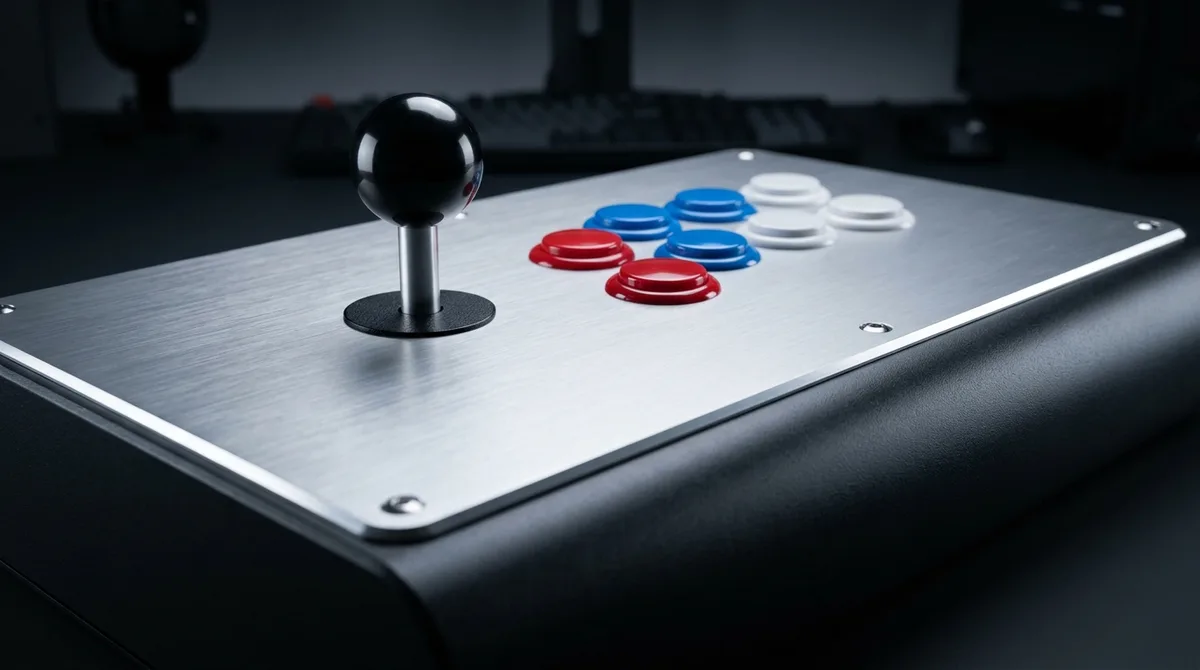
The Victrix Pro FS is a premium, traditional joystick arcade stick, not a leverless controller. Its high-end build puts it in tournament territory, and the price reflects that. The standard model is listed at $399.99 on the official Turtle Beach product page.
It is designed for PS5, PS4, and Windows 10 and 11 PCs. Turtle Beach does not list Xbox or Nintendo Switch compatibility, so those players can skip this one.
The box includes a 3 m detachable braided USB-C cable, an additional joystick shaft with a ball top, a dust cap, an Allen wrench, a storage bag, and an instruction manual.
Turtle Beach support says its products have a one-year manufacturer warranty for the original purchaser, and its direct-store terms extend that to 18 months for purchases made on or after January 1, 2026.
This is a poor fit for budget buyers. It suits tournament players, modders, and anyone who wants a sturdy stick that can take a beating. If you are clumsy with hardware, the spare shaft in the box is a handy safety net.
At a glance
- Best for: Serious fighting-game players, modders, and buyers who want a durable stick
- Price: $399.99 for the standard model, as listed on the official Turtle Beach product page
- Platform Compatibility: PS5, PS4, and Windows 10/11 PC; no Xbox or Nintendo Switch listed
- Traditional joystick and buttons, 3 m detachable braided USB-C cable, extra joystick shaft with ball top, dust cap, Allen wrench
- Warranty: One-year manufacturer warranty for the original purchaser; 18 months for direct-store purchases made on or after January 1, 2026
Qanba Obsidian 2: Top-Shelf Stick for Part Swappers
The Qanba Obsidian 2 is a premium, traditional arcade stick, not a leverless controller. It uses a Sanwa joystick and eight 30 mm Sanwa buttons, so the layout matches a cabinet and the parts are the ones tournament players already trust. The joystick ships with both ball-top and bat-top knobs, and the stick’s swappable tops let you switch between them without buying extras.
The official Obsidian 2 page lists PS5, PS4, and PC, with a switch to select the platform. Xbox Series X is not supported out of the box and needs a wired converter, and Nintendo Switch is not on Qanba’s compatibility list. If your main machine is an Xbox or a Switch, this stick is a hard pass.
The build is where the Obsidian 2 earns its price. A tournament lock switch keeps you from hitting menu buttons mid-match, and a touchpad sits alongside a 3.5 mm headset jack with a mute control for the microphone. The 9-foot USB cable gives you room to sit back. Swapping internal parts takes more effort, because you have to remove eight screws from the bottom of the case first, and modifying the stick voids the warranty.
At 19.1 × 10.2 × 4.6 inches and 7.39 pounds, this is a lot of desk and a lot of bag for a stick reviewers call large and heavy for travel. It suits tournament players who want a bracket-ready stick and enthusiasts who plan to swap parts, as long as they can live with the desk space. At the time checked, Qanba USA listed it at $199.99, so budget buyers should look elsewhere.
At a glance
- Best for: Tournament players and enthusiasts who swap parts and have desk space
- Price: $199.99 at the time checked
- Platform Compatibility: PS5, PS4, and PC; Xbox needs a wired converter; Switch not listed
- Sizes or Specs: 19.1 × 10.2 × 4.6 inches, 7.39 pounds, 9-foot wired USB cable
- Warranty: One year on Sony-licensed units bought directly from Qanba or an authorized retailer; modifications void it
Razer Kitsune: Leverless Precision for Light Travelers
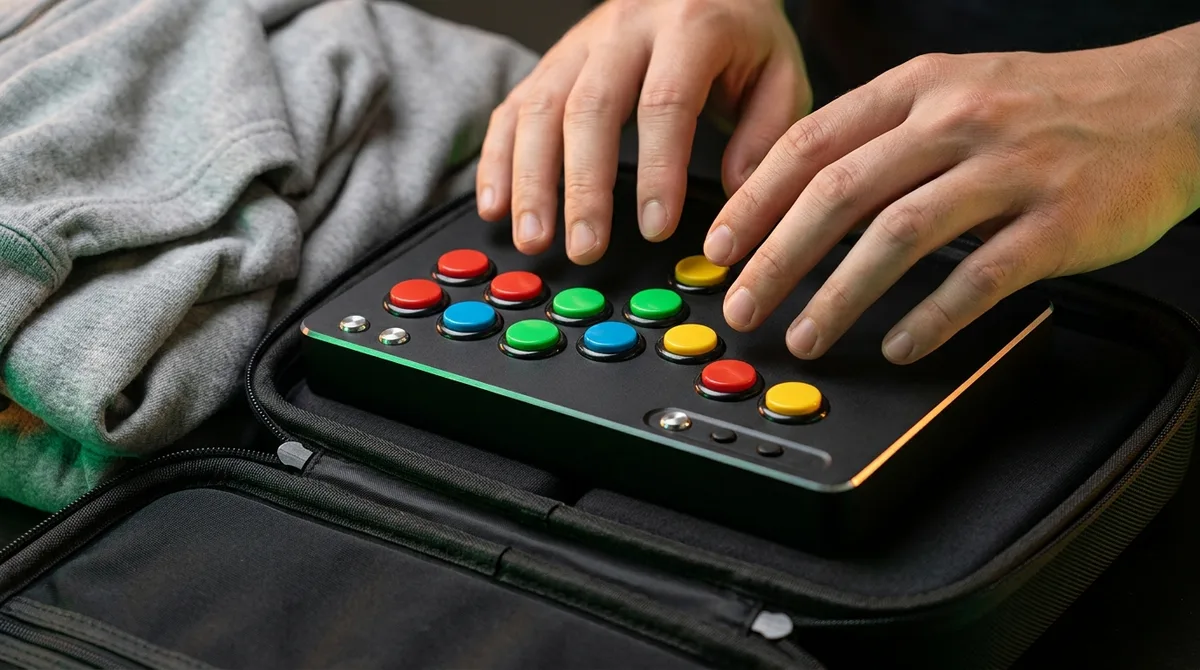
The Razer Kitsune is not a joystick stick at all. It’s a leverless controller that swaps the lever for four movement buttons, with low-profile linear optical switches on the main controls. It’s a premium product, and Razer’s US store lists the Ryu edition at US$319.99, with the black version US$20 less.
Razer officially supports the Kitsune on PS5 and PC. It says PS4 isn’t supported directly, though PS4 games running on a PS5 work fine. The aluminum top plate unscrews so you can fit custom artwork, and the unit includes Chroma RGB lighting. On PC you get four SOCD cleaning modes plus a no-cleaning mode, which matters if you care how opposite directions are resolved.
The body is slim, at 11.66 × 8.27 × 0.75 inches and 800 grams, and the 10.1-foot USB-C cable tucks away easily. A cable clasp keeps the lead from wandering during a session, and a tournament-lock switch disables the top-edge buttons so you don’t hit them mid-match. Those are the details that make it a travel-friendly tournament setup.
The learning curve is real. Reviewers call it tournament-grade but warn that the price and the adjustment period make it a poor first stick for some newcomers. If you’ve only ever played with a lever, your first sessions will feel wrong, and that’s not a flaw you can patch out.
At a glance
- Best for: Competitive players who want a precise leverless setup, and travelers who want a slim controller
- Price: US$319.99 for the Ryu edition and US$20 less for the black version at Razer’s US store; see the official site for current pricing
- Platform Compatibility: PS5 and PC officially; PS4 games playable on PS5, but PS4 not supported directly
- Sizes or Specs: Wired, 10.1-foot USB-C to USB-A cable, 11.66 × 8.27 × 0.75 inches, 800 grams
- Warranty: Up to one year, with a one-year limited warranty on Razer controllers
Victrix Pro KO: Leverless Tournament Pick With Two Versions
The Victrix Pro KO is a leverless controller, not a joystick stick. Every direction comes from a button, so anyone who learned on a traditional lever should expect a learning curve. Reviewers flag that adjustment, but once your hands adapt, the appeal is the customization. Up to 16 buttons can be moved and mapped, the Cherry MX Speed Silver RGB switches are hot-swappable, and a removable aluminum top plate gives you a way to change the look.
The platform split is the first decision you have to make. The PlayStation version supports PS5, PS4, and Windows 10 and 11 PCs. The Xbox version supports Xbox Series X|S, Xbox One, and Windows 10 and 11 PCs. Neither version lists Nintendo Switch. The PlayStation model is not listed for Xbox, so pick your console version before you click buy.
The package includes a 3-meter braided USB-C cable, a tournament-lock switch, a cable-lock mechanism, a 3.5 mm audio port, a switch puller, and a protective sleeve. It measures 339 × 235 × 20 mm and weighs 1,225 g. The slim body and sleeve make it easier to haul to events, and the tournament lock helps prevent accidental button presses mid-match.
This is not a budget entry. Turtle Beach’s US listing shows a full price of $279.99, so it needs to earn that money. It suits tournament players, modders, and anyone who wants one controller across PlayStation and PC or Xbox and PC.
At a glance
- Best for: Tournament players and modders who want a leverless stick across PlayStation and PC or Xbox and PC
- Price: $279.99 full price on Turtle Beach’s US listing
- Platform Compatibility: PlayStation version for PS5, PS4, and Windows 10/11; Xbox version for Xbox Series X|S, Xbox One, and Windows 10/11; Nintendo Switch not listed
- Sizes or Specs: 339 × 235 × 20 mm, 1,225 g, 3-meter braided USB-C cable
- Warranty: Two years per PlayStation Direct; Sony’s limited manufacturer warranty does not apply
Buying the Right Stick Without the Return Trip
Start with the game you play most, not the stick that looks coolest on a product page. Open its Steam page and look for the Full Controller Support label. If it only says partial support, plan on keeping a keyboard within reach for menus and setup.
Next, check the console rules. PlayStation owners should look for the Sony-licensed label. Xbox owners should confirm the stick is officially licensed, since Microsoft’s continuous compatibility policy covers licensed accessories, not every box with a USB plug.
Switch 2 owners have their own homework. 8BitDo’s Arcade Stick lists Nintendo Switch 2 support only with system software 20.1.1 or later, so check your console’s version before you buy. If you’re on PC, confirm the stick’s input mode matches what the game expects.
If you plan to use a converter, read the tested-device list first. Brook guarantees only the sticks on its list, and Mayflash’s MagicBoots-S5 needs firmware updated on the stick before it will cooperate. Do that update before the stick gets to the game.
For budget buyers on PS5 and PC, the Qanba Drone 2 at $99.99 is the cheapest sensible entry. If you want Sanwa parts, the Titan at $149.99 is the next step up. Skip FlexStrike for now. At a recommended $199.99 with no firm launch date, it’s a wait-and-see purchase.