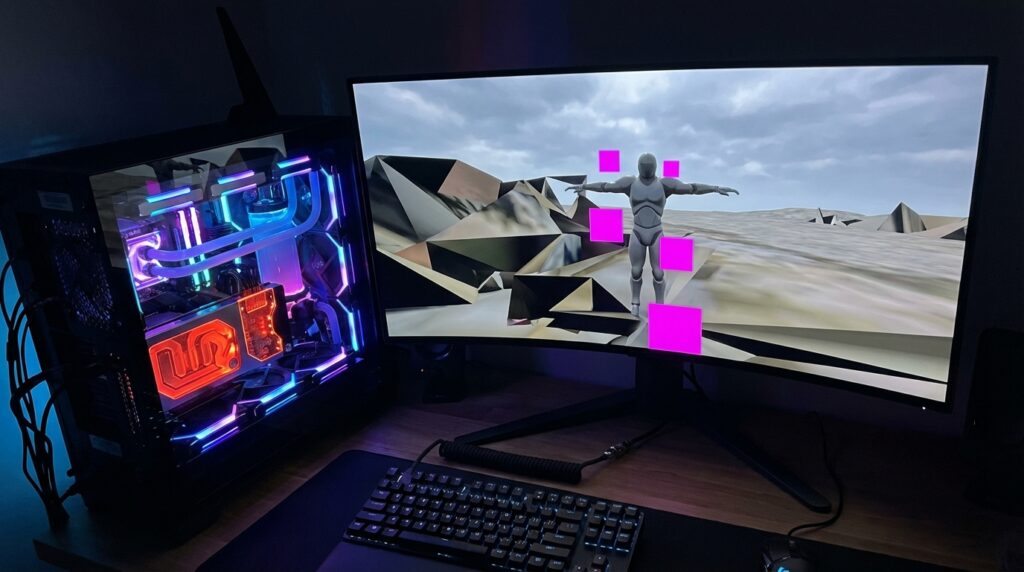
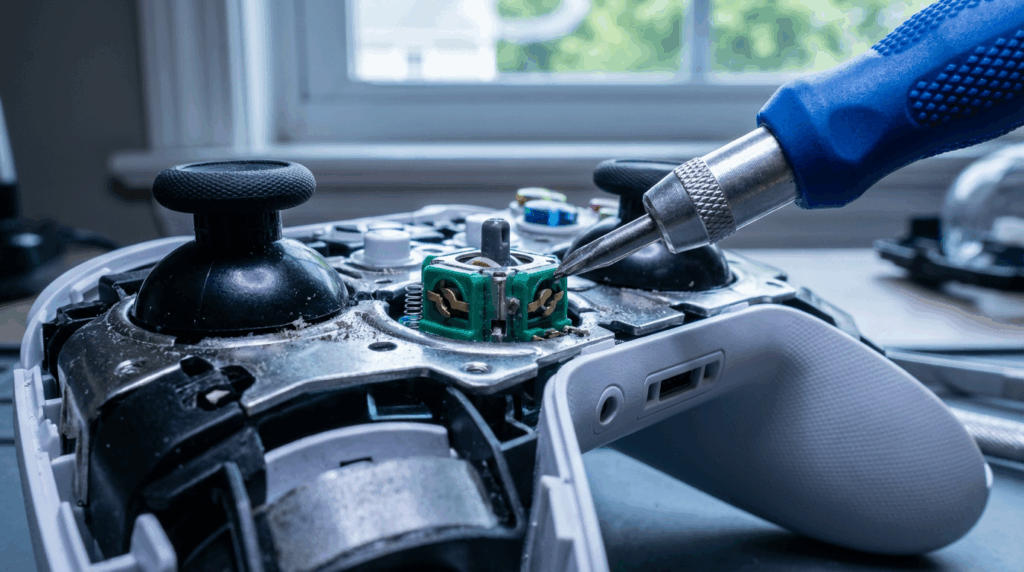
There is nothing quite as humbling as watching your high-level character casually stroll into a lava pit while your thumbs are nowhere near the controller. You paid seventy dollars for that DualSense or Joy-Con, yet it decided to retire early and sabotage your ranked match out of spite. This phenomenon is called stick drift, and it is the single most infuriating hardware failure in modern gaming. It happens because the internal components, specifically the potentiometers, are grinding themselves into dust with every rotation you make. Instead of building these things to last, manufacturers seem content selling you a ticking time bomb wrapped in sleek plastic.
The root cause is usually simple mechanical wear or the accumulation of dead skin cells and snack debris inside the sensor mechanism. These analog stick modules rely on physical contact tracks that degrade over time, meaning your controller is technically breaking a little bit every time you use it. It is frankly embarrassing that the industry standard for joystick durability has barely improved while the price tags have skyrocketed. Companies know this is a problem, but selling you a replacement controller is much more profitable than designing one that actually survives a year of heavy use. We are not going to let them win that easy money today without a fight.
The Potentiometer Plague and Mechanical Wear
It is honestly insulting that we pay seventy dollars for a controller that has the internal durability of a wet paper towel. You would think a next-gen peripheral would include technology that wasn’t outdated back when the GameCube was still relevant. Instead of magnetic sensors that actually last, these companies shove cheap potentiometers into the thumbsticks to save a few pennies per unit. It feels less like an engineering oversight and more like a calculated decision to ensure you are buying a replacement every six months. We are basically renting these controllers until the inevitable drift sets in and ruins our day.
Here is the dirty little secret about how these analog sticks actually function under the plastic hood. Inside that module are wipers that drag across a carbon track to tell the game where your thumb is moving. As you grind away at your favorite shooter, that friction physically scrapes conductive dust off the track like you are using a microscopic cheese grater. Eventually, that loose graphite debris creates a confused electrical signal that registers movement even when you aren’t touching the stick. It is a self-destructive design that guarantees failure simply by using the product exactly as intended.
The result of this hardware betrayal is the dreaded phantom input that drags your crosshair to the left while you are trying to aim. You aren’t suddenly bad at the game, but your controller is gaslighting you into thinking you have lost your touch. There is nothing quite as infuriating as watching your character slowly walk off a cliff because a ten-cent sensor decided it was time to die. We deserve Hall Effect sensors that use magnets instead of friction, but apparently, that makes too much sense for the accounting department. Until the industry changes, your aim assist is fighting a losing battle against mechanical decay.
The Isopropyl Alcohol and Compressed Air Exorcism
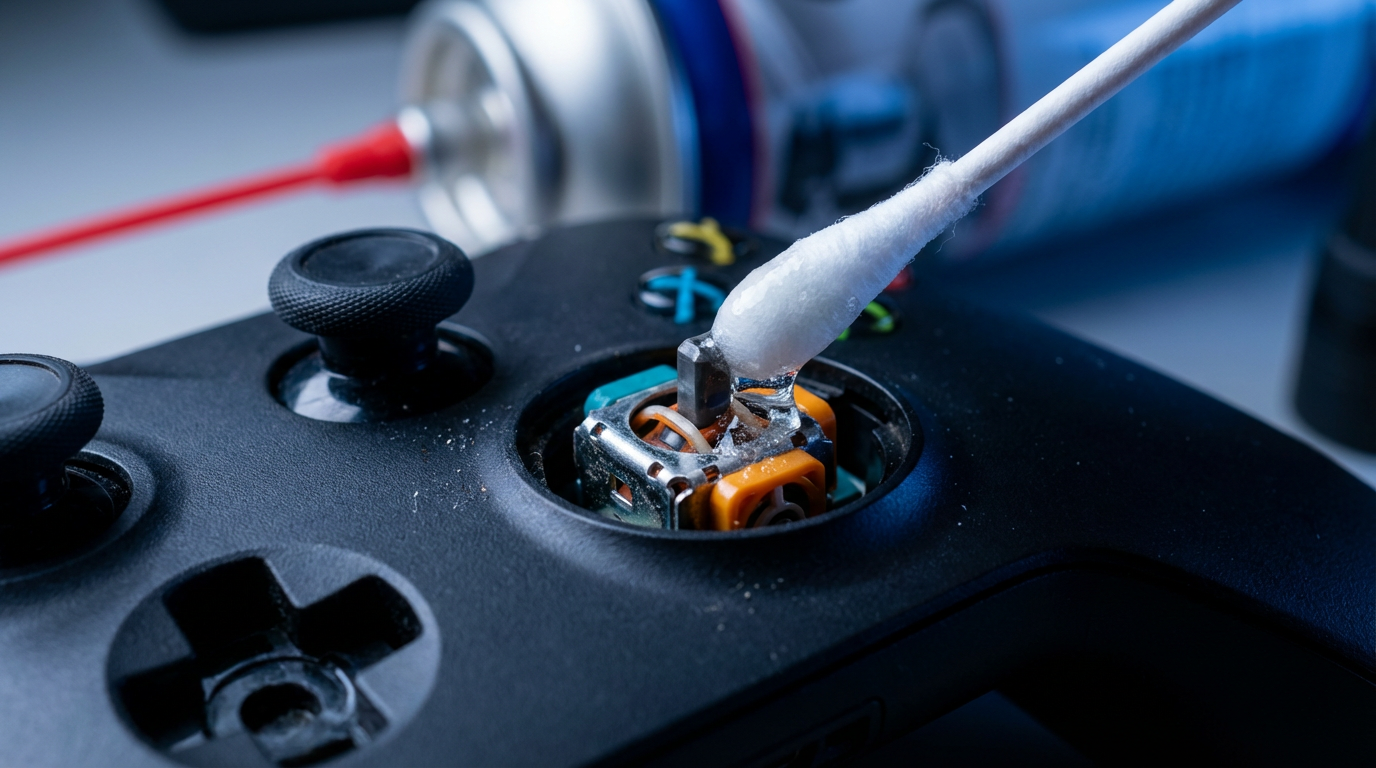
Before you rip open your controller like a savage, let’s try the lazy solution first. Most stick drift is caused by the unholy accumulation of dead skin, pet hair, and snack crumbs clogging the sensors. You need a can of compressed air and some high-percentage isopropyl alcohol, preferably the ninety-nine percent stuff that kills everything on contact. This isn’t a delicate surgery; it is an exorcism for the filth living under your thumbsticks. If you are lucky, blasting the debris out will save you sixty bucks on a new peripheral.
Start by tilting the affected analog stick to the side and giving it a few short bursts of compressed air. You want to blow the air directly into the gap at the base of the stick to dislodge whatever microscopic garbage is jamming the potentiometer. Rotate the stick in circles while you spray to ensure you hit every disgusting angle. Do not turn the can upside down unless you want to freeze your controller and ruin the plastic. It sounds stupidly simple, but sometimes the dumbest fix is the one that actually works.
If the air blast failed, soak a Q-tip in that isopropyl alcohol and run it generously around the ball of the joystick. Let the liquid seep down into the mechanism while you wiggle the stick around like you are trying to win a Mario Party mini-game. The alcohol helps dissolve sticky residue that the air couldn’t move, effectively cleaning the contacts without voiding your warranty. Wait for it to dry completely before turning the controller back on, or you might short something out and blame me. If this deep cleaning ritual doesn’t stop your camera from panning left, you are going to have to open the chassis.
Adjusting Deadzones to Mask the Symptoms
If you cannot afford a new controller right now, we have to rely on the digital equivalent of turning up the car radio to ignore a rattling engine. Most modern shooters like Call of Duty or Apex Legends include a setting called deadzone buried deep in the controller options. This setting essentially tells the game to ignore the first few millimeters of stick movement, which is usually where that phantom drift lives. By cranking this value up, you are instructing the software to turn a blind eye to the jittery signals your degrading hardware is screaming out. It does not actually repair the potentiometers grinding into dust inside the plastic shell, but it stops your crosshair from wandering off like a bored toddler.
There is a catch to this method because fixing hardware issues with software always demands a blood sacrifice in responsiveness. When you increase the deadzone, you force yourself to push the stick further before the game registers any input at all. This makes fine aiming feel sluggish and heavy, almost like you are steering your character through a pool of molasses. You might stop drifting into walls while standing still, but snapping onto a moving target becomes significantly harder when the first ten percent of your input is deleted. It is a miserable compromise, yet it beats watching your camera spin wildly every time you try to loot a deathbox.
Deep Cleaning the Analog Sensor Wheels
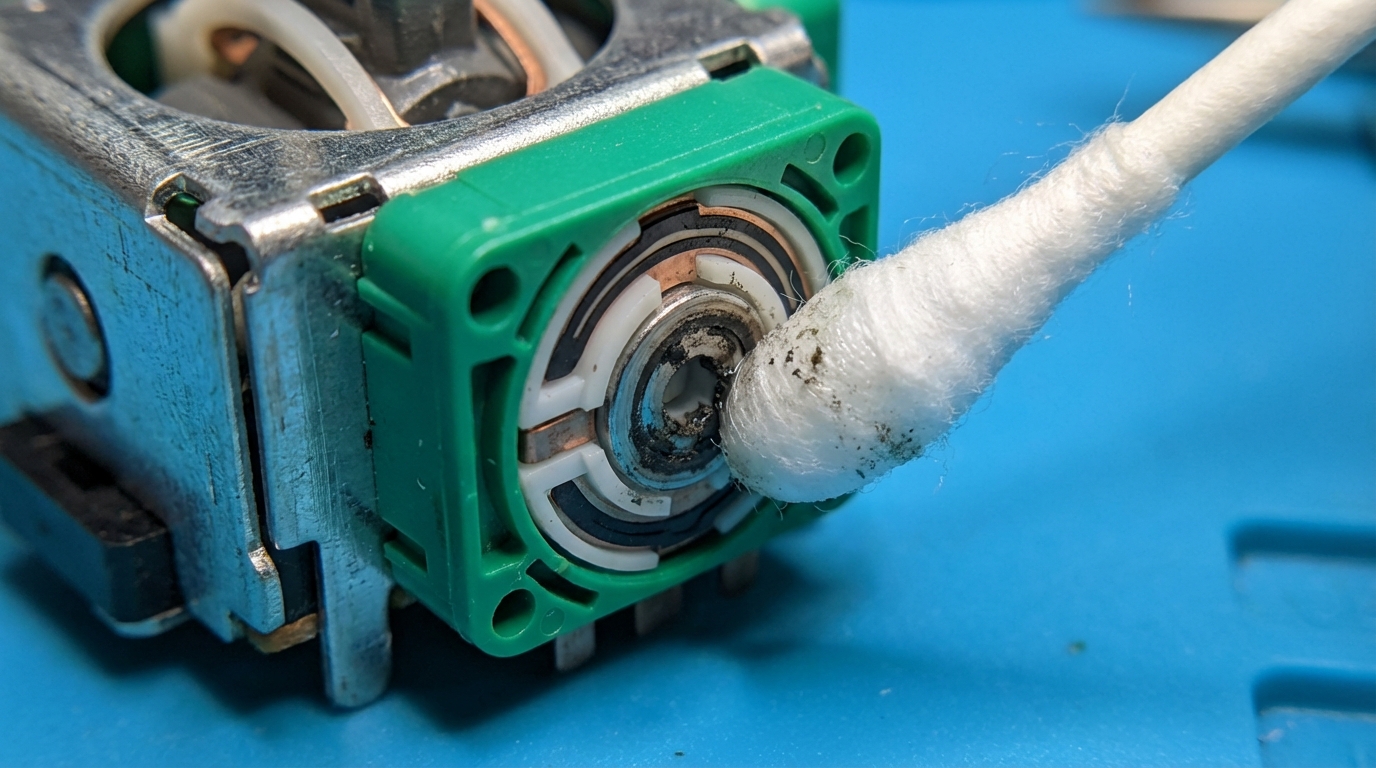
Look, if blowing air into the cracks didn’t fix it, we have to perform actual surgery. This is the point of no return where you kiss your warranty goodbye and grab a screwdriver. I hope you have steady hands because we are cracking the shell open to get at the actual source of the rot. Manufacturers love using cheap potentiometers that degrade faster than milk in the sun, so we have to go in and clean up their mess. Just remember that if you snap a ribbon cable, you can’t send it back to the factory for a pity replacement.
Once you navigate the annoying labyrinth of plastic clips and security screws, locate the joystick module on the board. You are looking for those little green or orange boxes clipped to the sides of the stick mechanism. Carefully pry those potentiometers open to reveal the small white discs and metal wipers hiding inside. Take a Q-tip soaked in high-percentage isopropyl alcohol and wipe away the black gunk that used to be conductive material. That black residue is the physical manifestation of your stick drift and needs to be scrubbed out completely.
Be extremely gentle with the metal wipers inside because bending them even a millimeter will ruin the calibration forever. You are essentially scrubbing oxidation off a cheap piece of metal that does all the heavy lifting for your aim assist. Pop the discs back in, snap the housings shut, and reassemble the controller before testing your handiwork. If you did it right, your character will finally stand still without you fighting the controller like a wild animal. If you failed, well, you were probably going to drop seventy bucks on a new one anyway.
Hall Effect Upgrades: The Permanent Cure
If you are tired of your controller acting like it is possessed by a drunken ghost, blame the cheap potentiometers manufacturers insist on using. These outdated components rely on physical contact to track movement, meaning they grind themselves into dust every time you sprint in Call of Duty. Hall Effect joysticks are the superior technology because they use magnets to detect position without parts ever actually touching. It is basically magic compared to the friction-based failure we are used to seeing in DualSense and Xbox controllers. Once you switch to magnetic sensors, you stop worrying about mechanical wear and tear entirely.
Installing these bad boys requires cracking open your controller and wielding a soldering iron, so this isn’t a fix for the faint of heart. You have to desolder the drifting garbage currently attached to the board and replace it with the new magnetic modules. While it sounds terrifying to melt metal on your expensive hardware, it is the only way to truly stop the drift forever. Software deadzones are just a band-aid on a bullet wound, but this surgery actually fixes the patient. If you can handle the heat, you will never have to buy another standard controller again.
In the grand scheme of stick drift fixes, compressed air is a temporary prayer and calibration is a waste of an afternoon. The only solution worth your time is upgrading to Hall Effect sensors or buying a pro controller that already has them pre-installed. Brands like 8BitDo and GameSir are actually putting these magnets in their budget pads, making the big three look absolutely pathetic by comparison. If Sony and Microsoft actually cared about longevity, they would stop selling you expensive e-waste wrapped in fancy plastic. Stop rewarding companies that build their products to fail and start investing in gear that actually works.
Delaying Your Controller’s Inevitable Heat Death
Stick drift is basically the inevitable heat death of your favorite controller, and it is undeniably frustrating to watch your character walk off a cliff while you are putting down your drink. We have established that the main culprits are usually dust buildup or those cheap potentiometers grinding themselves into oblivion inside the plastic shell. While a blast of compressed air or a thorough cleaning with isopropyl alcohol might buy you some extra time, these are often just temporary bandages on a gaping mechanical wound. It is ridiculous that we pay seventy dollars for peripherals that have the lifespan of a mayfly, but that is the current state of modern gaming hardware. Until companies stop cutting corners on internal components, we are stuck playing surgeon with our gear.
If you are handy with a soldering iron, swapping out the faulty module for a Hall Effect sensor is the only permanent fix that actually respects your wallet. For everyone else, tweaking deadzones in your settings menu is a decent software workaround that stops the camera from spinning wildly during a cutscene. Just remember that increasing the deadzone makes your aiming feel sluggish, so you are essentially trading one problem for a slightly less annoying one. Eventually, the drift becomes so severe that no amount of recalibration or prayer will save the device from the electronic waste bin. When that day comes, look for controllers with magnetic sensors to avoid repeating this entire headache six months from now.